Install SoundCarrot
Add it to your home screen for quick access.
A little bit about us
A father, a daughter, and a son - building something that's gotten a little out of hand.
Hello, and welcome!
We made this website primarily for my two kids. A few years ago they both fell hard for podcasts - shows like Finn Caspian, Becoming Mother Nature, Story Pirates, Earth Rangers and the Big Fib got them hooked. But finding good shows was hard, and I could never quite let them loose on their own to find more.
SoundCarrot was born as a way to give them a walled garden of curated content - and, just as importantly, a way to teach them both how websites actually get built. They're endlessly curious about the "how" behind the apps and sites they use every day, and this became my excuse to show them, one feature at a time: a bit of coding here, a bit of design there, wrapped around something they already love.
That's what SoundCarrot still is today: a family project, built by the three of us, for families like ours.
Here's everything you can actually do on SoundCarrot - the whole feature set, not just the headline version.
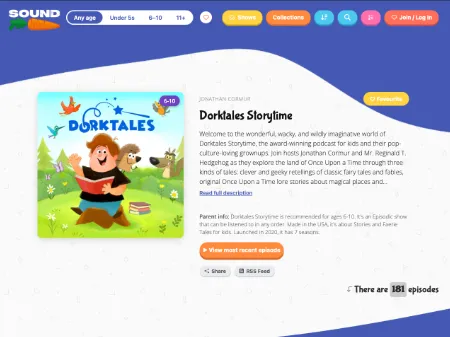
Every show gets its own page - real age guidance (Under 5s, 6-10, 11+), topic tags, and a proper synopsis, not just a raw feed dump. Episodes are tagged the same way, so you can tell at a glance what's right for bedtime tonight, without having to listen to five minutes of an episode first to find out.
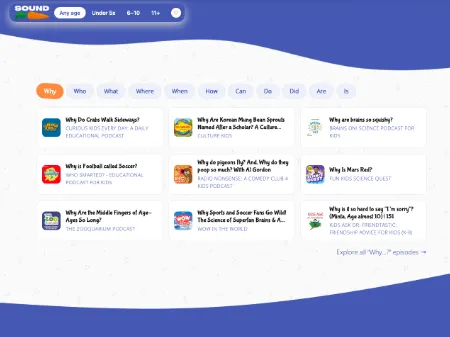
Kids ask questions constantly, so we built a whole way of browsing around that: Why, What, Where, When, Who, How, Can, Do, Did, Are, Is. Episodes that answer one of those get pulled into the matching tab, so your child can go straight from "why is the sky blue" to an episode that actually answers it - no genre or topic tags required, just curiosity.
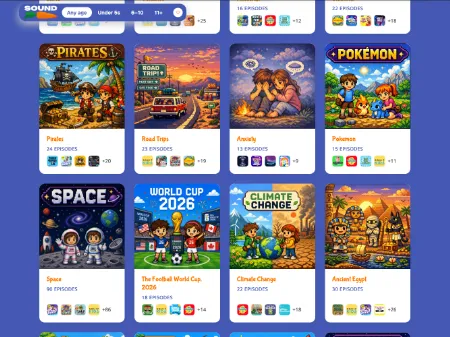
Themed playlists built around a single subject - dinosaurs, space, pirates, kindness, you name it - pulling in episodes from lots of different shows. Obsessed with one thing this month? There's a whole collection waiting, not just whatever a single show happened to make about it.
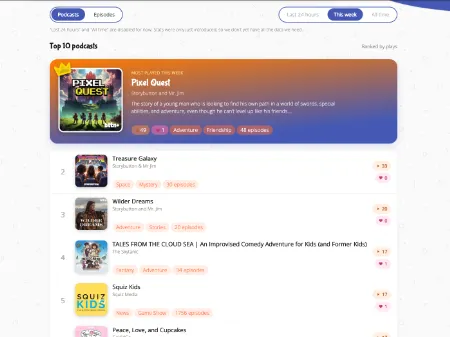
Real usage, not a static best-of list someone compiled once: Top 10 podcasts and episodes, a weekly Trending board, and Most Loved rankings, all split by age band. If you're not sure where to start, start here - it's what other families are actually listening to and loving right now.
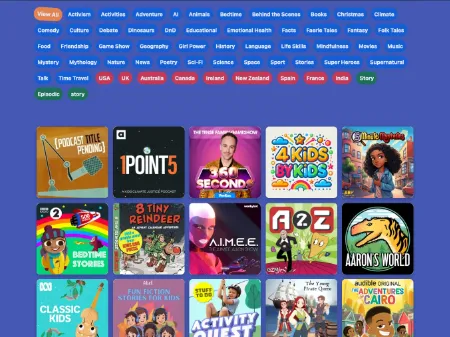
Full-site search, plus filters by age, country and topic on the main shows listing - so if you're after something specific (an age-appropriate history podcast from the UK, say), you can actually find it, rather than scrolling forever.
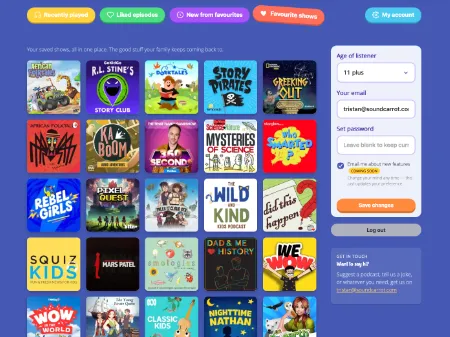
Save a show to your favourites, let your kids like individual episodes, and the dashboard remembers exactly where you left off - so picking up tomorrow is one tap, not a re-search. New episodes from anything you've favourited surface automatically too, so you're never the one who has to remember to check.
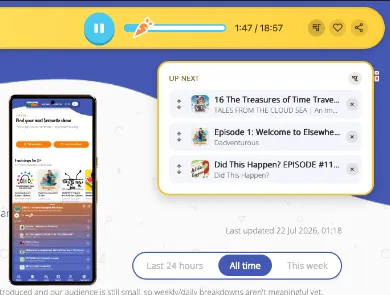
Tap the queue icon on any episode to line it up next, instead of handing over the phone every time one finishes. Drag to reorder, remove anything you change your mind about, and playback moves on to the next queued episode automatically - build a whole car-ride or bedtime playlist in a few taps.
Got a Yoto player? Send any episode, or one of our curated playlists, straight to your kid's device in one click - no manually building a Make Your Own card. It's the difference between "I should check that out sometime" and it being on the player tonight.
How Yoto sending works →
If a show your child loves turns out to have a sister series (or ten), we link them together automatically - so you find the rest of a producer's catalogue without having to go hunting for it yourself.
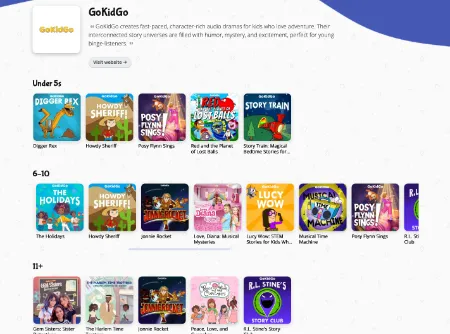
We're not one layout squeezed to fit every screen - desktop and mobile each get their own purpose-built design, tuned for how you actually use it: browsing properly at a laptop, or picking something quickly from your phone in the car or at bedtime.

We hope you and your kids find plenty to love here. And if we're missing your family's favourite show, tell us - we're always looking for the next one to add.
P.S. - to M and T, this is for you 🙂
Need to get in touch?
Contact form